


Have you used it yet?

- by Liam Doolan
When the Switch 2 arrived last June, Nintendo introduced a special “Welcome Offer” for GameChat, which allowed users to access these features for free for a “limited-time”.
As we get closer to the end of March, it means there’s now just over a week left to try out these features without having to pay to access them (thanks for the reminder, Nintendo Everything). After 31st March 2026, you’ll need to purchase a Nintendo Switch Online membership. Fortunately, it’s just the standard subscription (no Expansion Pack tier required).
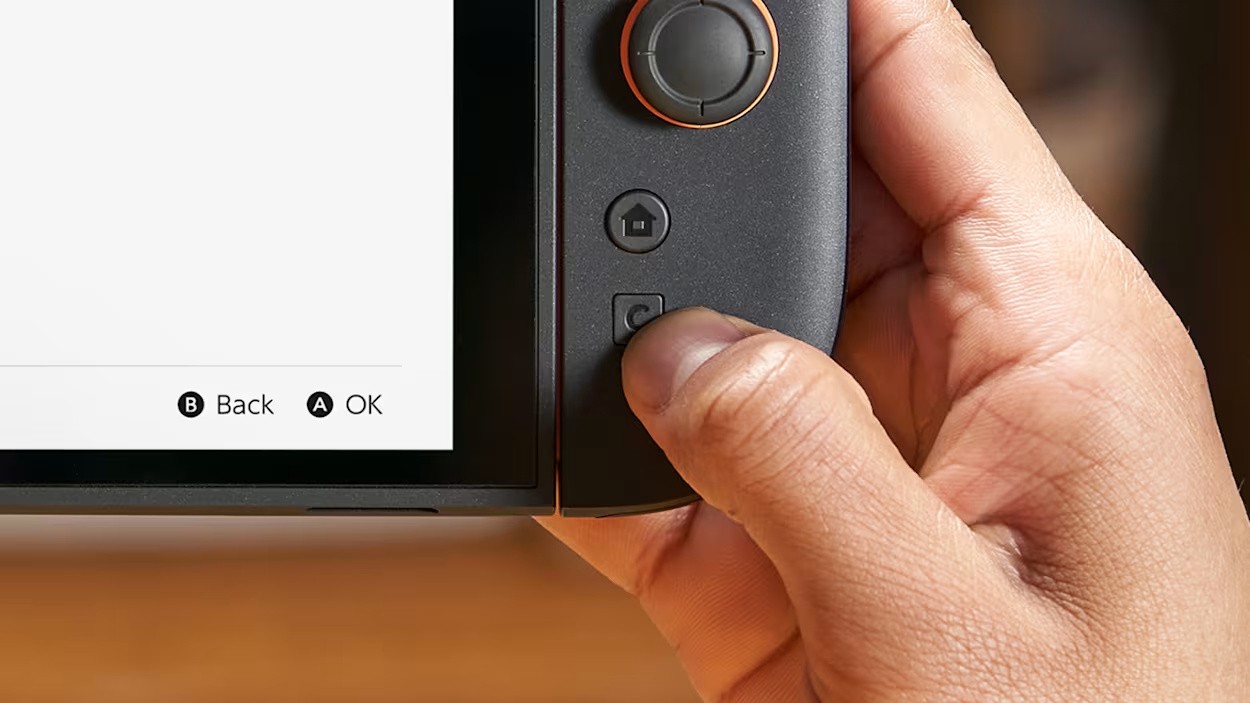
If you’re not familiar with GameChat, it allows you to use voice and video chat, share your screen and more while you play games with other people online. You can get started by pressing the C Button on your Switch 2 controller. And if you need more help, check out our guide here on Nintendo Life.
“Everything starts with the GameChat menu on the Nintendo Switch 2 console, which can be accessed either from the icon on the HOME Menu or by pressing the C Button on the Joy-Con 2 (R), the Nintendo Switch 2 Pro Controller or the Nintendo GameCube controller. Once you’ve gone through the initial setup, you can create your own GameChat session and invite friends to it, or join a session you’ve been invited to.”
Have you used GameChat yet? How are you finding it so far? Vote in our poll and let us know in the comments.

Liam is a news writer and reviewer on Nintendo Life. He’s been writing about games for more than 15 years and is a lifelong fan of many iconic video game characters.
